URL Parameters aur Query Strings
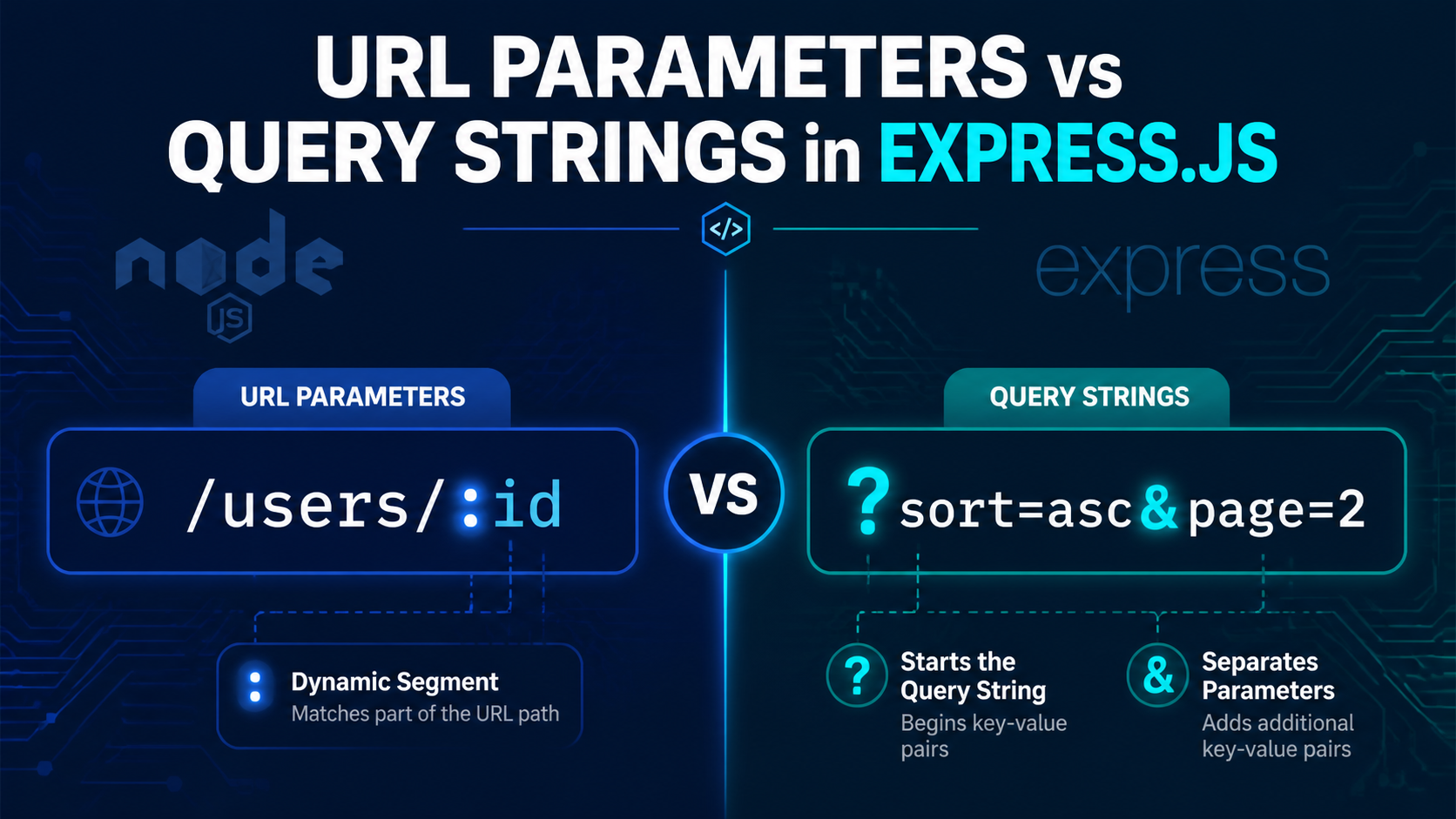
If you are learning Express.js, one of the first URL concepts you need to understand is the difference between URL parameters and query strings. Both send information through the URL, but they serve different purposes and are used in different situations.
In simple terms, URL parameters identify a specific resource, while query strings filter, sort, search, or modify the result. Once this distinction is clear, building clean routes in Express becomes much easier.
Understanding URL Structure
Take this example URL:
https://api.example.com/users/42?sort=asc&page=2
This URL contains several parts: the protocol, domain, path, a URL parameter value, and a query string. In the example above, points to a specific user, while sort=asc&page=2 changes how the response is returned.
| Part | Example | Purpose |
|---|---|---|
| Protocol | https:// |
Defines how data is transferred. |
| Domain | api.example.com |
Identifies the server. |
| Path | /users/ |
Refers to the resource group. |
| URL parameter | 42 |
Identifies a single resource. |
| Query string | ?sort=asc&page=2 |
Filters or modifies the result. |
What Are URL Parameters?
A URL parameter (also called a route parameter or path parameter) is a dynamic value inside the URL path. In Express, it is declared with a colon, such as :userId, and it is mainly used to identify one exact resource.
For example:
/users/:userId
A browser request might look like this:
/users/42
/users/99
/users/john-doe
Each value changes which resource is being requested, but the route pattern remains the same. [1]
Common examples
User profile:
/users/:userId→/users/42Product detail:
/products/:productId→/products/iphone-15Blog post:
/posts/:slug→/posts/my-first-blogOrder detail:
/orders/:orderId→/orders/ORD-2024-001
Important rule
URL parameters are required. If a route is defined as /users/:id, then /users will not match that route because the parameter value is missing.
What Are Query Strings?
A query string is the optional part of a URL that appears after ?. It contains one or more key=value pairs, and multiple pairs are joined with &. Query strings are used to filter, sort, search, paginate, or otherwise modify the response.
Example:
/products?category=shoes&sort=price&page=2
Here, the route still points to the products collection, but the query string changes what kind of product list is returned.
Common examples
Search:
/products?search=wireless+headphonesFiltering:
/jobs?type=full-time&location=delhiSorting:
/posts?sort=date&order=descPagination:
/users?page=3&limit=20Combined filters:
/products?category=electronics&brand=samsung&page=1
Important rule
Query strings are optional. Both /products and /products?sort=price are valid URLs, but the second one requests a modified version of the same resource.
URL Parameters vs Query Strings
The easiest way to remember the difference is this:
Use URL parameters when you need to identify one specific thing.
Use query strings when you need to filter or modify a collection.
| Feature | URL Parameters | Query Strings |
|---|---|---|
| Purpose | Identify a resource. [1] | Filter, sort, or search results. |
| Required? | Yes, they are part of the route. [1] | No, they are optional. |
| Format | Declared with : in Express routes. [1] |
Start with ?, pairs separated by &. |
| Example URL | /users/42 [1] |
/users?sort=asc&page=2 |
| Express access | req.params.userId [1] |
req.query.sort |
Accessing URL Parameters in Express
When Express matches a route containing parameters, it places those values inside req.params. The object keys match the names defined in the route. [1]
const express = require('express')
const app = express()

app.get('/users/:userId', (req, res) => {
  const id = req.params.userId
  res.send('You requested user: ' + id)
})
In this route, a request to /users/42 makes req.params.userId equal to '42'. Express returns parameter values as strings, even when they look like numbers.
Multiple parameters
app.get('/posts/:postId/comments/:commentId', (req, res) => {
  const { postId, commentId } = req.params
  res.send(`Post \({postId}, Comment \){commentId}`)
})
A request like /posts/10/comments/5 gives you both values from the URL path.
Best practice: convert and validate
app.get('/users/:userId', (req, res) => {
  const id = Number(req.params.userId)

  if (isNaN(id)) {
    return res.status(400).send('Invalid user ID')
  }

  res.send('Valid user ID: ' + id)
})
Since route parameters are strings, convert them before using them in calculations or database queries.
Accessing Query Strings in Express
Express automatically parses query strings and stores them in req.query. Unlike route parameters, query strings do not need to be declared in the route path.
app.get('/products', (req, res) => {
  const category = req.query.category
  const sort = req.query.sort
  const page = req.query.page

  res.send({ category, sort, page })
})
A request to /products?category=shoes&sort=price&page=2 gives those values through req.query. Just like req.params, query values also arrive as strings.
Using default values
app.get('/users', (req, res) => {
  const page = req.query.page || '1'
  const limit = req.query.limit || '10'
  const sort = req.query.sort || 'created_at'

  res.send(`Page: \({page}, Limit: \){limit}, Sort: ${sort}`)
})
This helps keep your route safe when optional query values are not provided.
Converting query values
app.get('/products', (req, res) => {
  const page = Number(req.query.page) || 1
  const limit = Number(req.query.limit) || 10

  res.send({ page, limit })
})
This is especially useful for pagination because values such as page and limit usually need to be treated as numbers.
Using Both Together
In real applications, you often use URL parameters and query strings in the same route. A parameter identifies the main resource, and query strings customize the returned data.
/users/42/orders?status=pending&sort=date
This means: get the orders for user 42, then filter those orders by status=pending and sort them by date.
Here is the Express version:
app.get('/users/:userId/orders', (req, res) => {
  const userId = Number(req.params.userId)
  const status = req.query.status || 'all'
  const sort = req.query.sort || 'date'
  const page = Number(req.query.page) || 1

  res.send({ userId, status, sort, page })
})
When to Use Which
A simple decision test works well when designing routes: ask whether the value identifies one exact resource or only modifies a broader result. If it identifies one thing, use a URL parameter. If it narrows, sorts, or searches a list, use a query string.
| Situation | Best choice | Example |
|---|---|---|
| Get one specific user profile | URL parameter [1] | /users/42 |
| Sort all users alphabetically | Query string [1] | /users?sort=name |
| Get one product by ID | URL parameter [1] | /products/iphone-15 |
| Search products by keyword | Query string [1] | /products?search=wireless |
| Delete a specific post | URL parameter [1] | /posts/101 |
| Filter posts by category | Query string [1] | /posts?category=tech |
Common Mistakes to Avoid
Using query strings for required identifiers, such as
/users?id=42, when/users/42is the cleaner route design.Using URL path segments for sorting or filtering, such as
/users/sort/asc, when/users?sort=ascis more appropriate.Forgetting that both
req.paramsandreq.queryreturn strings.Skipping validation and default values for user input.
Final Takeaway
The rule is straightforward: URL parameters identify, and query strings modify. Once you apply that rule consistently, your Express routes become easier to read, easier to maintain, and more intuitive for anyone using your API.


